AI Unleashed: See Adobe's Mind-Blowing Future of Creativity!
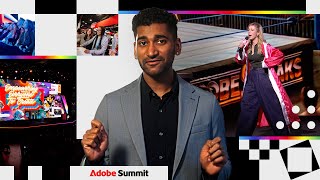
Adobe Summit 2026 unveiled a series of groundbreaking 'Sneaks,' demonstrating how artificial intelligence is poised to transform the landscape of marketing and design. From self-updating creative assets to hyper-personalized digital experiences, these innovations promise to empower creators and marketers with unprecedented speed and precision.
“We want to take it way beyond just using prompts to generate images. It's about generating something with taste and shape by real collaboration.”
- Eric Matisoff, Host
Witness the most anticipated innovations from Adobe Summit 2026. Discover how AI is revolutionizing creative workflows, personalization, and content generation. Get ready to see the future of marketing and design.
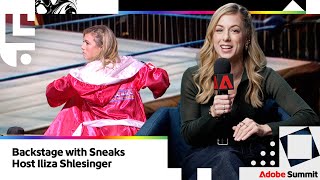
[bell] >> Tonight, we are going to witness the most anticipated sneaks in the history of Adobe Summit. For the thousands here in attendance and the millions watching at home, welcome to the Adobe Arena! [music] >> Oh, yeah! >> [music] >> Are you ready to rumble? Are you ready for a no-holds-barred tech showdown? showdown? >> [cheering] >> [cheering] >> Oh, man, you're excited. I'm so excited. My name is Eric Matisoff. I'm thrilled to be your host for this evening. And you know what? I've got a co-announcer as well. She's an incredibly hilarious stand-up comedian. In fact, she's got a show on May 1st here at the Venetian. And an incredible actor, hilarious writer. Please welcome Eliza Schlesinger! >> [music] >> [music] >> Let's go! >> Let's go! Come on! Come on! All right! All right! I can't hear it! >> [music] >> Let's go! >> Let's go! Look what they made me wear. >> [music] >> Woo! They were like, "Let's put on silk robes and talk about secret technology. That won't look weird." Are you guys pumped to be here? Oh, yeah. >> [cheering] >> [cheering] >> Yeah, in a casino in the middle of the [ __ ] day. Let's go. Open bar. Woo! There you go. So, welcome to sneaks. It's great to have you. Um Um >> I'm glad you took off the robe because we're not actually competing. You're not the only man to say that. >> We're just the announcers. We are the just announcers. I'm not positive what this is. Well, perfect. Let me tell you a little
bit about it. So, first of all, sneaks is all about innovation. And here at Adobe, we have been using AI and genetic technology to really accelerate the innovation that we have at Adobe. It's become a flywheel. So, let me give you an example. So, last year I hosted, the year before, the year before, this is my fourth time hosting. Oh. One, your dad. Your dad's who's like, "Great job." >> [laughter] >> [laughter] >> Every year every year we have about 150 ideas that come across my desk and only seven end up as sneaks. This year, because of AI and all the vibe coding, vibe designing, vibe brainstorming that we've had, >> We're firing half of you. No! What it has actually done >> to say that joke. No. We've had over 500 ideas. >> Wow! And they came from every office across Adobe globally. It's been so incredible. The good news is, we're not showing you 500 technologies today. Couldn't afford to have me here that long. 500. Who here submitted a sneak? Oh, yeah. I see some hands over here. >> great. Let's just keep it moving. Sorry you couldn't make it. So, we've narrowed it down to the best seven for you, most innovative, most exciting. These are real prototypes created by real engineers and those are our demoers. So, it hasn't gone through the rigorous QAing that we do when we put something into production. So, hopefully nothing breaks. If it does, we just need you to get this crowd excited, get them excited, we'll figure it out. >> I wore the robe. I think they're there. Thank you, ma'am. That's They're excited. Well, perfect. Great. So, that's your job tonight. We need you to just have fun, whether it's as an elder millennial or a party goblin. >> Who here is an elder millennial? There they are. Oh, yeah. Oh, yeah. >> This is late for them. Great. They're already wasted. They're like, "We got to get to dinner by 6:30." Awesome. Well, let's take a seat and get cozy. Get ready for some sneaks. >> We talking about the QR code? Get comfortable. So, well, the exciting thing that we have this year is to highlight some of the innovation that we have, we have something new. And so, everyone can see this QR code that we have up here. And so, if you scan that, you'll be able to vote for which sneak you like the best. >> In real time, you guys. Like an applause-o-meter, but digitally. And the winner gets $500,000. Wow, from Eliza's paycheck. You can get it in chips in the casino. No, there's no money. So, yeah, you can see the scoreboard behind you. And so, as the sneaks come out, then you can text sneak 1 2 3 4 5 6 7. That's going to be live updating. As Eliza said, it's real time. We love real time data here at Adobe. Real time data. Real time data. RTD. Oh my goodness. I'm not ready for it. I don't know. So, great. So, that's how things are going to go. Oh, and we also have something else that's really fun that I'm going to announce at the end. All sorts of really good stuff coming, but this QR code, I'll tell you what, the winner is going to have this belt. >> Girls, you're going to want this belt. You're going to want to pair it with something short and something chic. You're going to want this belt for the summer. It's the truth. Great, so should we bring out our first sneak? I just worked Wait, does everyone have a drink? Just this side? This is just the Mormon section? They flew in? No? They said no politics or religion, and I don't think that was. I think we're okay. And what about that up those people are coming? Those people were already drunk and they'd been asked to leave. That's why those seats are empty. If you're in the back, get your Palomas and let's go, okay? This is Las Vegas. Let's kick it into high gear. >> Yeah, what are we waiting for, right? >> we waiting for? Let's go. All right, so for our first sneak, I hope you're ready for it. I'm I'm here. I'm ready. You've been We've been talking about real-time data, and that's
a big focus for everyone in this audience. And it's more than just being real-time, it's being accessible. And so, we thought, what if we could bring that data into creative assets? And so, to show us how to do this, we have Project Concurrent, and we have Tanyu to show it off. Ooh, you guys, come on. Come on, you guys. >> [cheering] >> [cheering] >> She's going to have to fight another woman. That's why she's here. >> [laughter] >> All right. Thanks, Eric. So, hi Eliza. Hi, everyone. Check out my sneaks, bro. >> Look at that. Look at that. >> [cheering] >> Okay. >> Okay. So, I'm sure all of you here at some point you had to create designs with data. And for example, and Eliza, this may be a situation you're all too familiar with. Let's say you're trying to create a poster for your next event tour. You design the cities, the dates, and ticket prices, and of course, things change last minute. Right, city gets added, ticket prices change, and so, Eliza, in these scenarios, what do you usually do when plans change after the flyers go live? After the flyer what? Goes live. Oh, I call my web team who does what you guys do, and I'm like, someone's getting fired. Oh. >> [laughter] >> [laughter] >> Build my own flyers. Oh, no. So, your web team might have to go back into the into the editor, maybe change some of these fields, change the dates, and do it enough times, and you may end up with a scenario like this. Right, tour poster two, three, revised, new, final, actual etc. Too much. Exactly. Too many options. So, instead, what if you only had to make one design? And this design somehow magically updates even after you export it. So, introducing Project Concurrent, a tool that allows users to create living canvases and living designs that self-update each time information changes online. I have this idea. Oh. Like like on like a lot of NyQuil, like a year ago, I was like, what if it could just do it itself? This is [ __ ] brilliant. You made my tour look like an advertisement for a dog grooming salon, [laughter] but that's cool that we're touring that. Okay, so let's see. We have this website where we can go on and vote for which cities you want to see on this next tour, as well as as a summary page of all the rankings of the top ranked cities. So, let's go ahead and copy this URL and add it to our tool. So, this opens up an interactive browser where we can then use to select different elements to link to our design. So, for example, let's select the first city, Atlanta, which is the most popular right now, and link it to the first city on our design. So, hit bam and link, and select text, and just like that, we have a mapping between our website and the canvas. Woo! Yeah, very cool. So, you don't have to change the actual flyer, you can change it behind the scenes, and then the flyer updates. >> Yes. So, as long as as it's linked, everything will update afterwards. That's amazing. So, now let's do something more complex, right? Let's say we want to apply a 40% discount to the ticket price of the of the top ranked city. Oh, Oh, I guess it's not common. Are we not doing well? Okay. Okay. Okay. So, to do that, let's go ahead and as before, select the corresponding element and link them. But this time, instead of copying it one for one, we're going to switch modes to our formula, and on this dialogue here, we're going to say apply a 40% discount. 10. 10%? Okay. Does it understand BOGO? >> [laughter] >> Okay. >> Okay. Let's do 10. Let's do 10. So, hit generate, and after a quick while, it'll return our formula, which we can then apply, and so that's our new price. We can add back the dollar sign, hit save, and here we go. Here's our new ticket price. Yeah. >> Oh, $67. Just a 10%. >> amazing. Okay. >> [laughter] >> [laughter] >> So, you can imagine that we can keep repeating this process for the rest of the data fields, right? But that's also kind of tedious. And so, instead, we also have a recommendation system that provides all of these mappings for us. So, to see that, let's start with a fresh design. So, Eliza, out of these three templates, one, two, and three, which one do you like the most? Oh, I don't remember what one was, so let's go with three. >> Oh, wait. Or either, you know, not that. Not that, okay. This one? No, that looks like a camp flyer. >> [laughter] >> Okay, this one? >> This one feels sleek. Okay. Feels now, right? We can go with this one. >> Mostly men here, so why am I asking? Okay. Or look, am I invited? Okay. So, let's go ahead and click auto recommend links, and it's going to take a couple of seconds, and hopefully it will spit out all of our mappings for us, just like that. Woo! Woo! Yeah, so everything got automatically linked. Yes. So, yeah, so you don't ever have to take your flyer down and repost it. >> Exactly. >> Exactly. >> Yeah, that's awesome. >> you You wrote this code yourself? Yes. That is blowing my [ __ ] mind. Like, I have trouble with Word on my computer sometimes, and you did this. That's amazing. Thank you. So, we can also hover over these question marks to understand why some of these mappings were created. So, for example, right, it's linking Atlanta, which has the highest number of votes, to the first placeholder city. Um, similarly, it's coloring this text uh this box yellow because it's also related uh color-coding it based on popularity. And again, all of these mappings will persist um when you export it. So, this means that even after you change the canvas itself, all these changes will actually persist onto the image file. So, let's go ahead and do that. We're going to hit export live SVG, and let me just drag this side by side so we can actually see the updates as they happen live. Okay. Okay. So, now let's try changing our uh design. So, Eliza, um out of all of these city options outside of the top three, which one do you want to see the most on your own tour in the future? Oh my gosh, well, I guess I have to say Las Vegas. I don't know, where should I play next year? Totally I can totally understand all of that. Phi- Philly, they're always the loudest. Eagles, you guys are always the loudest. Let's say Philly. Philly, okay. Let's do Philly. My people. They were just the rudest, just to be clear. It's the only reason it's up. Okay. So, let's try changing the third op- uh option, Austin, to Philly. And to do that, I'm going to be dragging these selection boxes all the way down to Philly, and as I do that, I want you to watch the image carefully cuz it's going to change very quickly. So, one, two, and three. And just like that, our last option became Philly. That's so cool. >> [applause] >> And remember, this is an image, not a not a website, so there we have it. Tanyu, so how did you get inspired for this? You were like on the Insane Clown Posse website, it wasn't updating. You were like, how do I get cronk? Like, how do I do this? What made you want to do this? Cuz for someone like me, this is groundbreaking. Uh probably laziness mostly. Like, I don't want to go back and keep changing things, updating again. I want it to be like once and done, and yeah. Laziness is the mother of invention. Thank you. This is incredible. Okay, so lastly, let's also try changing the website. So, we're going to do a little bit of audience participation here. Um so, it seems like the next runners-up for popular cities are New York City and Detroit. So, I'm going to read these names out loud, and I want you guys to cheer for which option you want to see the most on the top of this poster. So, anyone for New York City? >> [cheering] >> Okay. >> Okay. What about Detroit? What about Detroit? Okay, Okay, it seems like Detroit has won out, so I'm going to go ahead and go to this voting tab, and where is Detroit? Okay, where is it? Am I blind? Oh, right here. Okay, so I'm going to spam the vote button for Detroit so that it becomes the top of the list. And there we go. And in our poster, we're going to give it a couple of seconds to update, and there we have it, Detroit. Wow. Woo! >> [applause and cheering] >> So, previously, we lived in a static world where we had to we had to recreate images to reflect different marketing trends, moods, and temporal moments. But now, with Project Concurrent, the data will do the work for you. Thank you. That was amazing. Thank you. >> [cheering] [applause] [applause] >> Can I have your email so that if this doesn't go today, like I could still have access Oh, yeah, for sure. to this technology? >> it out. It's in the It's in the microsite. It's on the what? >> There's a microsite demo that we're going to release for folks. I'm going to be on the microsite. I'll see you guys on the microsite. >> [laughter] >> [laughter] >> Whatever smaller. >> Whatever smaller. Well, Well, awesome. Thank you, Tanyu. >> [cheering] [applause] >> So, I hope you enjoy I'm glad that you enjoyed that one. You found a lot of uses for it. >> I was very prepared to just smile and be like, "Wow, amazing." But that's actually so useful to me personally. That's amazing. It's the truth. And you know what I noticed is you have a an eye
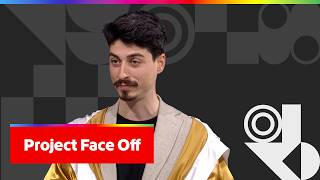
for design. I do have an eye for design. >> can recognize the difference between a camp poster and a dog breeding saloon salon or something. Yeah. Well, we're millennials. We grew up on Microsoft Paint. We know what things should look like. I have ideas. So that's a big focus for us, too, is we care about which designs are better. We have arguments. This design versus that design. And Adobe customers use AB testing to say, "Okay, well, which one is the best? Which one is going to drive more revenue? Which is going to be more exciting? Conversions?" All these things. And we thought, "Well, what if we could, during the pre-flight process, that means before the test even goes live, we could use AI to detect, all right, well, what is the best option and what are some recommendations for that?" Like a precog. Yes, it's a precog, exactly. Okay, no one here watches movies. That's cool. No, there weren't like six dorks cheering for that. Like I was like racking my brain. That one, thank you. I like The millennials in the audience know it. >> Okay. Definitely. So to show us how we do it, we've got >> Report joke. Okay. We've got Project Face Off and we have Doa. He's right there. Hi Eric. Hi Eliza. Hi Doa. So I just flew in from Switzerland and I love it there. You see, I love it so much that on the left you see a webpage that I built to promote tourism in Switzerland. However, I feel the design is a bit bland. So on the right you see three alternatives that might be more engaging, but I'm not entirely sure. What do you all think? So um Eric, if you had to pick one, which of these three on the right would you go for? You know, of these three, I'm a dark mode fan. I'm going to go with the one in the middle, the dark one. The one in the middle. That's a good choice. Eliza, I'm going to ask your opinion in a bit, but first let me give you a little bit more context. Okay. I mean, I'm here. Yeah. So when stuck in a situation like this, as Eric said earlier, we would run an AB test, split real users between version A and version B, wait for enough traffic, crunch the stats, and find out who's the winner. This works, but it can take weeks or even months. So if you don't have that kind of time, how can we build our intuition? I'd like to introduce you to Project Face Off, an AI-powered tool that simulates an AB test in seconds, and even explains which variant wins and why. Let me show you. I'll create a new test. Switzerland campaign. You spelled that so quickly. so quickly. >> [laughter] >> [laughter] >> You know, uh I studied uh computer science, so um Fair. um Fair. >> [laughter] >> [laughter] >> As my control, I'm going to choose the original version. And And as my challenger, I'm going to choose the one that Eric has picked. He picked the incognito porn one. He liked the dark mode. We all know what that means. that means. I thought it looked good. Open closed tabs. Oh, well. So let's uh for our primary conversion goal, let's say bookings for Switzerland trips. All right. All right. Are you ready? Are you ready? Let's go. Let's go. Ooh, look at that. So under the hood, Project Face Off generates user personas that simulate interaction with both designs, like scrolling, clicking, thinking, and they decide whether they would convert. We repeat this until we hit statistical significance. You see the test is currently running and we're almost done. So Oh, no. Oh, well. It looks like the control has received more votes, so that's the winner. Sorry, Eric. You didn't make it this time. >> like a cookbook one. But don't you worry because if you scroll down over here, the AI insights tell us that the control won because the challenger's dark theme hurt readability, while the control's clean itinerary made it easy for users to understand and act. You see, this is great for pre-flight screening. We can now quickly eliminate weaker options before committing to expensive live tests. And we're not done yet, so if you scroll down over here, you see the system has generated a nice PDF report that summarizes all of these insights and it contains even more details in case you're interested. So um Eric, do you want me to send this to you by email? Yeah, at Adobe we love PDFs, so please ship it on over. Sounds good. >> But who converts the document to the PDF? How do you outsource that? >> We do. >> I'm just kidding. Okay. All righty. So um go Well, uh before we move on to Eliza, Eric, any final wishes or feedback? So here's what I've been thinking about, and we we talked about this a little bit, is that I like comparing AB tests, but what if I have more designs? You showed what, three other options before. Uh-huh. Can you like whip up a feature that adds gives me the chance to add multiple Other letters. We want other letters besides A and B. Multiple. Okay. Uh well, you know what I can do. I have, you know, we now have Cloud Code that can help us quickly prototype new visualizations for the interface. Do you want me to try that because Yeah. actually had it over here, Cloud. So um we could prompt something like allow me to upload multiple challengers. Call it tournament mode, okay? We'll get real real cool with it. Okay. Call it media with the theme mode. Run them all against against Woo. Woo. See? See? The same. Where's your computer now? I study computers for a living, not a spelling bee winner. >> tournament mode? Did I hear that right? Yep. You tell us. Tournament mode. >> genius with spelling. >> Okay. So while Claude is working on that, let's go back to our variants. Eliza, now it's your turn. Okay. So I want to tell you about another great benefit of this tool, which is it allows us to test scenarios that are very difficult to test in real life, like um new market probes or highly specific segments. So for the highly specific segment of elder millennials, which I know you're fair familiar with, which of these three designs on the right do you think might resonate the most? For my group? Yes. I like the middle one, but I think it's going to be the lower one because it looks like like an early internet blog post. Like slash Atlantic article. Like I trust it. >> [laughter] >> Okay. Which one? The bottom one. >> The bottom one, the heart of Europe? >> Okay. I That was one That one was my favorite, too, so um let's go ahead and start a new test and pull the changes from Claude. Hopefully we have Ooh, you see over here, tournament mode available. That's exciting. Um We're going to go ahead and select these three challengers all at once. Okay, that's a good sign. >> everyone in here gets free drinks. >> [cheering] >> All right. I hope you're right. Me, too? Yeah, and if I'm wrong, you still get the free drinks. >> Okay. All right. Win-win. It's okay. So um last but not least, let's select from Adobe Experience Platform our target audience, which is elder millennials. >> Don't let me down. Let's go. >> [laughter] >> So ready for the tournament mode? Yeah. Okay, let's go. Not the porn one. >> Wow. Look at that visualization. It's like we're watching a real game, right? Are you feeling the heat, everybody? You guys feeling that heat? Nice. >> Well, it's uh getting suddenly hot for me, so I need to take this off. And let's take a look. So the first one, it looks like it's going to be inconclusive. >> animal. The second one, it looks like the control is going to win. And the last one, you were right, Eliza. I know my people. Congratulations. You won. Thank you. So now that we know which one is the best uh most promising challenger, let's go ahead and ask AEM agents to use AI to build a functional webpage from this mock. And once done, we're going to launch this live AB test on Adobe Target. And just like that, we're good to go. There you have it, Project Face Off, built to help you That's amazing. [cheering] >> [applause] >> Awesome. Thank you, Doa. >> you move forward with insights and confidence. If you'd like to use this technology in your own work, please be sure to vote for us. Thank you, everyone. Aw, I love that. We could say that it's predictive analytics in an unpredictable world. That Wow. That sounds like a good tagline. I see our CMO over here. She's ready to take it. Take it. I'll take 10%. Fine. That's the discount that we had for your coming show, too. It's a win-win. I felt that one. $67. So we've shown a few AI-focused things, and I'm curious if you've been playing with AI at all on your own. Have I been playing with AI? >> Yeah. No, but I know AI plays with me. >> [laughter] >> If I'm being honest. >> Okay. Well, our next sneak um actually is built using a lot of AI, and the team that built it uses AI for research with all these customer conversations that they have. And so I'm hoping Yep. that we can have Paolo here explain a little bit about his process. Paolo? Hey Eric and Eliza. Where's your robe? We all agreed to come out in robes. >> tonight. No robe. All right. I'm I'm ready to go. Thank you. No, thank you. All right. Sounds good. Sounds good. All right. So yeah, Eric, on your point,
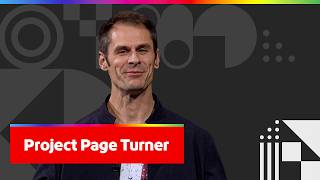
um we work with many marketing teams and we learn what they need. Then we use AI tools to ideate and build uh solutions that didn't exist before, like Project Page Turner. We partnered with Vitamix on that, and I'm going to show you what it is. So you know how websites work today. Everybody gets the same page. Marketing teams build audience-based variants, but it takes time, and they're limited to the audiences they imagine. What if every page imagined itself for an audience of one? With Project Page Turner, websites become personal. So, I'm going to show you how Vitamix can deliver individual browsing experiences in real time. So, someone is looking for a blender and they ask, "I'm a personal trainer and I need a blender that can handle making 15-20 protein shakes a day for my clients. Curious how models compare for heavy daily use. Clean-up speed matters a lot. This page didn't doesn't exist for this user yet. Ready to go? Ready to go? 3 2 1 3 2 1 Go! Go! >> drinks 20 protein shakes a day? Powerful blender for high volume protein shakes, quick self-cleaning routine, perfect protein shake, top Vitamix blender for heavy daily use and fast clean-up, quick protein shake recipes. This is all Vitamix content, product pages, real recipes, all assembled under 1 second. Woo! Didn't it feel faster than many websites? Yeah. Awesome, Paolo. Now, we have to prove this was not scripted, right? So, I need a little bit of help, Eliza. Okay. >> You want to help? I do. I flew here to help you. So, if you can come here, please, for a second. Yeah, very quickly. No. >> [laughter] [snorts] >> Yeah, just very quickly. So, we're going to quickly cook something, right? Okay. >> I'm Italian. I love gelato. >> that what that is? I was trying to guess. Okay. Thought he was like Swedish. Okay. So, I love gelato, stracciatella, pistacchio. That's what I love. What about you? What would you like to do with gelato? >> What's your What's your favorite thing you want like to make with a blender? If you can type it in for me. >> community. Thank you so much. Vote for me. >> [cheering and applause] >> Favorite thing to make with a blender? Um okay, and you can't and you can't vote Oh, okay. We weren't doing crowd work, but these alkies in the back said margaritas. Okay. >> I think he wanted to hear like soup or something. Can I Can I put extra I don't want to say margaritas. Can I say >> Margarita I want a low-calorie Let's write this down. Spicy, skinny Okay. >> What else do we want? That's it. I think we're fine. >> That's it. Okay. It's going to be too much. >> [laughter] >> [laughter] >> He's like, "That is peak white woman." I'm like, "I want it skinny, but fun." Maybe one more one more thing. >> One more? Oh, yeah. >> Yeah, while you do it, you want low noise, high power, big capacity. >> No, I want a loud blender. I want to shake the house and upset everyone cuz I'm making a margarita. Very loud, very bloody. >> Very loud is is enough. >> [laughter] >> He's Italian. He wants to make love. How long were you standing here in the dark before we threw to you earlier? >> Hours. It felt hours. >> Okay. >> [laughter] >> I added compare the best blenders. So, we're ready to go. >> Okay. Okay. So, we want to deliver a page for you. Ready? Okay. >> 1 2 3 Come on, loud. >> Spicy low-calorie margaritas made easy. Key features for Asian Asian X5. That's your model, Asian X5. You can pick up other models, but that was your page. No more clicking around, your content right away. How does it feel? It felt great because I get lost on websites and I like that it's delivered right to me with a very cute Italian accent. Do you come with this software? Can I like have you narrate it? Can I pick that? No. Thank you. Okay, thank you. >> [laughter] >> Grazie. >> Grazie. Grazie a te. Grazie a te. All right, so let's try to move on. Good luck trying. That's what my ex said. said. Keep trying. Keep trying. All right, so next thing. So, this was with a query, but most people don't query prompts on website, they just browse. So, this is what we're going to do. So, let me open the back end so we can see what's happening behind the scenes. And watch, let's start from a fresh session. So, the user lands on the Asian X series landing page and then they start browsing X4 model and then they look for another model, X5, and then they're interested in some recipes. So, maybe for example, soups. I was going to say. Uh and then also smoothies. And you see on the on the right that signals are piling up and the profile is becoming more and more clear. And then the user asks, "Kids recipes." All right. Make the best kids. Let's go. >> [laughter] >> You saw the confidence jumped. Now, the system sees a parent who's looking for premium blenders and wants kids friendly recipes. And watch, the system just injected a generated experience into the page. Turn the Asian X series into a kids meal powerhouse. Yeah, amazing, Paolo. That is cool, buddy. Be a premium kids recipes and that's the page. Kids love it. Parents trust it. The right content at the right time for the right user. This is how websites will look in the future. Woo! Yeah. Woo! Yeah. >> [cheering] >> [cheering] [applause] >> So, it's like a personal shopper built into a webpage. It is. Yeah. It is. Yeah, very personal. Okay. Last thing. This is what visitors sees, but let me show you what the marketer sees. The system is learning from every interaction. For example, it knows that recipe cards score high for health-conscious visitors and lower for gift buyers. It's building a content performance metrics, which content works for whom in real time. But there's more. But there's more. Since the system is generating a page for every intent, it knows exactly where your content falls short. So, competitor comparisons, noise level comparisons, these are all surfacing opportunities. And then it prioritizes opportunities. Enhance baby food content, add gift registry integration. Your content road map is built by your own visitors. This is Project Page Turner. It generates the experience, it learns what works, and it tells you what to improve. And that's sneak three. Woo! All right. I like that. >> Right, that's a good one, right? >> It's making your customers work for you. Yeah, right? Then we don't have to work so hard. Let the customer do the hard work. I love it. >> That's right. [ __ ] the customer. Let them >> for sneak three for Paolo. Thank you, Paolo. Thank you. >> [cheering] >> So, so far we've talked about email, we've talked about creative assets and data. And one of the most important channels to folks in this room are taking those creative assets and delivering them in beautiful, personalized emails. And so, this next
sneak is all about going from beautiful design to a fully coded, personalized email in seconds. And to show it all all off, it's called Project Wise Wire and we have Vishesh. Vishesh. Hi, Eric. Hi, Eliza. Hi, everyone. This is a travel email my creative team at Weekend has designed in Adobe Express. Normally, I take this and build it piece by piece inside my Journey Optimizer's email editor. But with Project Wise Wire, that's about to change. Now, I can connect and pull assets directly from Adobe Express. Right here in the workflow, I'll choose the asset my team has designed, drop it in the canvas, and bring it in. The AI is reading the design. It's understanding the structure, the sections, the visual hierarchy, and translating the entire thing into production-ready email HTML. And here's what is remarkable. It went into my brand's data, content, and assets, analyzed what fits in, and reused them in this brand-compliant email. All without writing a single line of code. That's hours of work gone in seconds. There's a AI suggestion at the top telling me to personalize the content. Right now, it's full of static values, like greeting name, contact details. One click and it maps every piece of static content to the right customer profile data and applies it across the entire section. Isn't that a great time saver? Yeah, very cool, bud. What would normally require careful manual mapping, now done instantly with precision. But that's just the surface. I want this email to go much deeper. I want each traveler to see rich, personalized trip details and destination recommendations coming from live booking system. This kind of deep personalization usually means writing complex expression logic by hand. Project Wise Wire brings AI assistant in the personalization editor. Now, I can describe what I want in plain language and Project Wise Wire builds the personalization logic for me. Hey, Eliza. I need your input here. Okay. Let's say you are a world traveler. You have earned the miles. You have got the time off. Where would you like to go? To beach or to Uh those aren't your choices. Right now, we support these two. Our booking system is between beaches and mountains. >> This technology only supports beaches or mountains. >> Yeah. I can't do a little of both? I can't do like a half and half, like a combo? So, what you're more inclined to? >> He's just like urine dripping. All right. Well, you know what? We'll say mountains cuz everyone says beach. We'll go mountains. Sure. Okay. >> Lovely. Let's use that. My prompt task to show uh my prompt task to show miles earned, loyalty status, and filter destination by beach and mountains. Sorry. I hit generate and all the logic, all the conditions, and it goes to all the building the logic and connecting to live system. Look at what is just generated. >> Look at all that code. Look at all that value you get. >> [laughter] >> [laughter] >> The big part is you don't have to write it yourself. You just describe what you want and it generates for you. Okay. The resulting expression, ready to apply. I have gone from a flat design to a built email, personalize it, and now it will be tailored to live data. Let's take it even further. For this lounge section, I want each traveler to feel energized and refreshed. Let me get the right messaging in. I'll ask the AI assistant to generate a vibrant and energized message. It quickly analyzes and generates a text that's aligned with my brand guidelines. I asked for energized and it came back with coffee. It understands the audience and the email vibe. Now I need the matching visuals for this newly generated text. Normally, I'd be scrolling through hundreds of assets trying to find the right one. Projectwise wire uses AI-powered asset selector. This text was generated few moments ago. Let's see what the selector recommends. Wow, look at that. All coffee, different styles, different energy. Perfect visual to what this section needs, all coming from my asset collections. Are those children drinking coffee? I can't tell if it's children or Sydney Sweeney. Like I can't tell what's happening. Maybe just drop your kids off for the day and let them go crazy. Just in case they might be thirsty. >> They could be Italian. You don't know. He's gone, but he would have loved that joke. >> [laughter] >> Okay. Now I have a personalized data-driven email with refreshing content and matching visuals. Now, the big question. Does it all actually come together? Validating a personalized email like this, every condition, every logic, every dynamic content. That's where the real time goes. Oh. With Projectwise wire, validation and testing has been reimagined, too. I hit generate and all the logic, all the dynamicity, all the preferences are considered. And Projectwise wire generates meaningful preview scenarios based upon every combination of content of this email. Our first variant here has 32K points. And to reach gold status, they are shy away from 18K miles. The next variant, having 72K points, they are 20K 28K miles away from reaching the platinum status. And Eliza, look at the destinations. All filtered by mountains. They're all mountains, just like we talked about. Exactly the preference we locked in. And all tailored to the needs of different variations of data. Different traveler, different data. And the email adapts. >> A very cool. With all data personalized, resolved, and validated. A few moments ago, that was a flat design in Adobe Express. I have turned it into a built email, personalized it, connected it to live data, built audience-specific variants, built audience-specific variants, and validated every scenario. Without rebuilding by hand, without writing code, without developer handoffs, and without manual testing. The entire journey from design to delivery reimagined. That's Projectwise wire. If you like what you saw, make sure to scan and vote. Thank you. Woo! >> [cheering and applause] >> Awesome. Thank you, Vishesh. It does look like the plane is taking off into the afterlife. >> [laughter] >> [laughter] >> I just have to put that out there. So, I just want to remind everyone, check the scoreboards. We've got lots of I've been been really fun to see Project Faceoff and Project Page Turner. They're in a battle, you know, Battle Royale going on right now. Is everybody voting? Get on your phones and vote. No free stickers >> Sudoku? Does everyone have their phones out? Wasn't there a QR code? Where is it? >> QR code at the top. Send it off. Oh, they That's how small? It It's big enough. That's all it takes. It's You know what? It's not the size >> [laughter] >> of the QR code, it's that your phones can focus on it. Great. Great. >> Yeah. >> Yeah. >> I'd rather not talk about size. Okay. Um but for so for Why'd you make it about that? I was talking about QR codes and technology at a conference. So, for our next sneak, we we've been showing lots of creative cool creative. And we have a lot of artists in the room. Where are my designers at? Yeah. Yeah. >> You stuck them at the end? Yeah, she's second row. >> You could come closer, you know. You can come right in the middle if you want. It's okay. You guys are allowed all. Might as well jam them in. So, we want to give folks, just like her and all my other designer friends here, new powerful ways to blend and merge their design ideas. We want to take it way beyond just using prompts to generate images. And to do that, we have Project Test Kitchen and we have Ujay. >> [cheering] >> Hi, Eliza. Hi, everyone. So, imagine that you're working with a team and everyone pictures the same idea a little differently. You try your very best to capture everyone's ideas into one single prompt and click generate. But the result just doesn't quite capture what everyone had in mind. So, what if working [snorts] with AI felt less like giving orders and more like collaborating with a co-creator? And not only that, one who listens to everyone, understands different perspectives, and helps blend these ideas into something new. How does that sound? It sounds amazing. Yeah. Now, Eliza and Eric, so being up here with you guys make me think maybe together we can jump-start my very own company career and launch our own show here at Dolby. So, I want you, too, to be my creative directors. And every company show needs a poster, right? So, what I'm going to do here is I'm going to launch the interface of Project Test Kitchen. And first, I'm going to type a prompt saying, "Create a poster for a company at Adobe." Next, I'm going to move over to the mood board here. And I'm going to upload some images that reflect my personal taste. I really like this image of a goose giving a talk show. Do you like geese, Eliza? She's my main competition in Hollywood, that goose. And I also really like this Bauhaus pattern reflected in this Adobe stock design. So, next, Eric, this is where I need your help. Okay. So, among these two remaining Adobe designs here, which one do you think will most resonate with Adobe employees? What do you think? The big A or the logos? Should we go big A? >> you got to go big A. Big A. Big A. Big A it is. And I'm going to add Eric's choice to the mood board. So, now you can see that I'm not just representing myself, I'm representing my teammates as well. But most importantly, since this is our show at Adobe, it's very important that we need to follow brand guidelines. So, I'm going to upload the official Adobe logo here and I'm going to pin it to signal to the AI agent that this is a visual identity that should be reflected in the design. Cool. Looks like we have everything now. I'm going to move over here and click generate. The AI agent is going to look at everything together, including the mood board materials, the user-based prompt, and the current X and Y axis definitions, which is composition and the art style. What it does is that it will first >> Cool. Look at that goose. I was worried that you're going to hate all of them. I love them all. Oh. I love all these shows. Yeah. But here you can see that we have three-point scales along both axes. So, we have three kinds of composition versus three kinds of art styles. And the agent combines all of them to form nine very unique, diverse designs. Now, sometimes we might look at these designs and go, "You know, these are cool, but I just want to see more variations of some of them." So, Eliza, this is where I need your creative input. So, among these nine designs here, which one do you think we should explore further? Oh, I think the most millennial one is the bottom right corner. >> Bottom right? >> Cuz it's very like early internet meets '80s, meets Lisa Frank, meets that goose. Good choice. Do you guys like this one? You have to. I picked it. Cool. So, for me personally, I love this one, but I'm curious. Hmm, what would they look like with different colors and poster layout? Now, don't worry. We can update these axes. So, I'm going to change composition to color palettes and I'm going to change art style to poster layout. And wait. Hold on. Hold on. There's an option here to zoom in on this design. I wonder what this will do. I click on it and wow, the whole grid reshaped itself around this design and the AI agent will try to reorganize these cells along the new axes we just defined. So, here you can see instead we have three different kinds of color palettes versus three kinds of poster layouts, and the agent will use these scales to generate new designs. Look at that. That's really cool. Wow. You could do this all night, and I don't normally say that. Oh. To anyone. So, [laughter] So, [laughter] more importantly, you will notice like compared to the first generation, these designs have smaller changes and more subtle differences for us to refine this particular direction further. But, sometimes, I don't know if you guys relate to me, I might look at these designs and go, "You know, I like this design, but at the same time, I also like parts of the other one. So, what if we can break these designs down into smaller pieces?" So, what I'm going to do here is I'm going to take this microphone stand design that I really like, and I'm going to drag it to the mood board. Next, I'm going to hit the extraction button here. So, this is a decomposition feature in which the AI agent analyzes the design and break it down into reusable building blocks. First, it analyzes at a higher level and extract things like composition, mood, theme, and style as text box. And next, it generates nine design tokens as well as a color palette here that you can use to recombine with these current nine designs. So, Eliza, I would say among these nine designs so far, my personal favorite is this one. I was going to say that. >> You like that design? >> we were all I think you said what we were all thinking. Oh my god. So, uh I just can't help but think that it could be even better. So, I was wondering if you can help pick one of these design tokens or even the color palette, and I'll use it to improve my design a little further. Okay. I want to pick the one that looks like a Missy Elliott Elliott music video, but middle row to [laughter] the left. I can't stand the rain one. Yep. >> Oh, this uh I pick that one. This orb? A what? This orb here? >> The We want the orb. Uh-huh. Cuz we want its knowledge. Okay. And I think we'll take the like um cauliflower cotton ball top right. Cuz it's Vegas, we need rain. >> Okay. We'll use these two design elements. So, I'll start with this uh reflective orb and drag it to >> Start with the orb. >> [laughter] >> And do uh combine with this element, and then I'm going to hit submit. Now, the AI agent is going to take the element each team I liked and try to combine it into one final direction. And the important part is, you know, we did all of this while staying on brand. And if we had used a more Oh my god, the goose is in the orb. Oh my god. They put a goose in an orb, folks. We put men on the moon and a goose in an orb. Now, I'm feeling adventurous, so I'm going to take the cauliflower, or I guess to me it looks more like a popcorn. I don't know what that is. So, I'm going to drag it here and try combining it. Let's see what's going to happen this time. >> god. >> god. I don't want to know what's going to happen to that goose. >> Where's it going to go? In the orb? I don't know. Where is it going? >> to be sick. I can feel it. A popcorn orb with a goose face careening through space taking up time while this thing generates. There we go. >> god. >> [laughter] >> [laughter] >> Okay. So, now we have >> He's He's in the popcorn. >> Yeah. The goose is in the popcorn. But, you can see that in the span of just few minutes, we managed to surface the essence of the whole team's thinking, and you can see in the result. Now, before I finish, there's one more feature I want to showcase to you guys. So, Eliza, I was thinking um do you consider yourself a good artist? I do. You do? Really? But, can you draw something with only a mouse? With only a mouse? >> Yeah. Like half a circle, maybe a smiley face. Okay. Perfect. Actually, yeah. The thing I'm not allowed to draw is another thing, but okay. A smiley face. Okay. >> that we can all draw. Uh we'll see. So, >> do a smiley face. Yeah. So, we're actually kind of still testing out this new experimental exciting feature where we want the user to sketch something, and then we're reflecting a design. And I don't even know if it works yet. So, I want to invite you to come over and just sketch anything you like in this interface. Could be an animal you like or just any visual elements you want to see in the design. Anything? Okay. Mhm. Well, obviously, I use the mouse. Yeah, you use the mouse, unfortunately. Okay. I'm going And I just want one color. Just do black. Okay. I'm going to do a drawing of my dog, Tianfu. Nice. She's Chinese. That's why her name is Tianfu, cuz I rescued her from a lady who would I'm just going to tell you the story as I draw this, who adopts dogs in China and brings them here, and I bought her. I know you're like sweating. You want to like show the rest of your technology, but I really want to tell the story of adopting my dog. Maybe she came to LA and had a nose job. I don't know what that is. I know I'm making her look like a cat. I swear my doctor tells me it's a dog. And that's her mouth, and she has really big big brown eyes, and she's got like spiky hair here, and I was Googling Tibetan spaniels the other day, and they said that they're longer than they are wide. Well, she's pretty wide, so I'll make that her whole body. That's her whole body, but little feet. Hold on. I'm only going to do four of her legs. And then she has pink ears. I told you I did Microsoft Paint. Uh and she's got a little tongue. She also has a black mouth and a pink mouth. You don't have pink up here. I guess I can do it. No big deal. I went to the fourth grade. I can't get that to stay. Um one of her eyes is kind of weird. It kind of looks off to the left. It's a beautiful dog right there. It is a beautiful dog. >> Yes. Uh and she does have like a glorious tail. There we go. Um and she's kind of a bigger girl. Oh, I thought she was going to blow up. Okay. I'm pretty sure that's that's a police rendering of my dog. Thank you. That's Tianfu. Thank you so much. You guys have a great night. I'm just kidding. I'm still here. I'm still here. Am I leaving? Am I leaving? >> You're there. Okay. Your dog is definitely not a cat. It's not a cat. Amazing sketch here. I hope it doesn't confuse the AI. >> [laughter] >> [laughter] >> So, I'm going to add Eliza's sketch to the mood board, and I'm going to add some more context for the AI agent as well. I'm going to specify that this is a dog. >> [laughter] >> [laughter] >> So, >> So, I'm going to say I want to see a dog in my designs. If you put it in caps, does the AI understand it better? Okay. We'll do it. >> it? I want to see [laughter] I just want the dog. in my designs. my designs. >> AI is like, "Why are you yelling though?" >> [laughter] >> [laughter] >> Cool. >> Cool. And not only that, I have this feature here where I can link it to Eliza's design, so now they're all paired up. So, I think we have everything. I'm going to reset the axes to composition and art style. And now, let's try again. I hit generate to see what happens this time. Now, as you can see, we have a different set of new material this time. >> going to be? >> Don't show me a cat. So, the AI agent is going to extract new visual concepts and features relevant to these and generating new three-point scales. You can see that this time we have a different set of composition versus art style. Ooh. It's a dog. >> [applause] >> Oh. >> Oh. There we go. There we go. There we go. There we go. AI was just like, "And we'll just roll the dice on this one." >> [laughter] >> Dog. >> Dog. Laughter glitches and good dogs. Dogs. It understood that you yelled at it. It's like, "You want dogs? Here's dogs." 10 out of 10. Chef's kiss. Now, image generation is a commodity now, but Project 10 Kitchen isn't just about generating more designs. It's about generating something with taste and shape by real collaboration. Ladies and gentlemen, if you like this sneak, please be sure to vote for me, which is Project 10 Kitchen, and you can see it in real Adobe products. Thank you very much, everyone. >> [cheering] >> [cheering] >> Woo! Give it up for Yujin! That's awesome. And what is your dog's name? Tianfu. Oh, of course. Yeah. Well, I >> Remember her whole back story that I explained as I was creating this art. >> her. I think she is beautiful. >> her wonky eye so perfectly. So, so far we've used AI to help us generate emails and some really impressive dogs as well and more. And a lot of times our folks, they start with
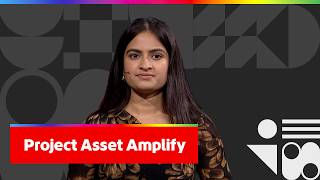
a bunch of assets that that they want to be able to build like marketing campaigns, websites, social media platforms, social media posts. Is that you guys? They want to do it for key audiences. So, not just anybody, but it could be a Gen Z, could be Gen Alpha, could be millennial. And so, we thought, "What if we could do that all faster?" And introducing Project Asset Amplify and Shivangi. >> [cheering and applause] >> Thanks, Eric. Hi, Eliza. >> Hi. Hi, everyone. Most marketing teams are not short on ideas. Rather, they're short on time. In fact, 73% of the time goes in production, leaving just 27% for strategy. So, let's see how can this be simplified. Introducing Project Asset Amplifier. It can transform any marketing content into a complete marketing ecosystem. Let's just see how. Here I have a complete campaign folder for a car brand, Vanto. It includes multiple product videos, images of different cars, brand assets, and much more. So, let's start where customers actually meet the brand, the websites. So, Eliza, we have this really amazing car, and we have two audiences, Gen Z and millennials. At the first look of this car, who do you think it more uh it more aligns with? Is it the Gen Z or the millennials? >> Well, it's going to have to be a millennial cuz Gen Z can't afford that. Uh maybe if it's like a Bitcoin situation, but millennial. Based on the length of her dress. That's a great choice. We got to cover our knees. I'm going to feed Project Asset Amplifier the same campaign assets folder, and instead of designing from scratch, I'll add a simple prompt to create interactive website that's targeted for millennials. Yes. Yes. The wild that's generating, let me show you what it's already capable of. So, here I have the Gen Z version of the website. Being a Gen Z, I'm drawn towards bold visuals and performance front. Project Asset Amplifier truly understood this and delivered the same. The dynamic animations, specs front, all aligns with the Gen Z energy. So, are you ready to go to the millennials version? Yeah. Yeah. Let's see it. Here's the millennials version of the website. website. >> Wow. >> Wow. Sounds like something my boomer dad would say. Got to earn it, but that's >> [laughter] >> It has a completely different vibe, right? Here, the focus is on what matters to them. Space, safety, performance, all are gracefully highlighted in the cards. That's great for websites, but when it comes to customers' attention, social media's where it changes the entire game. So, let me ask Asset Amplifier to generate social media content that's targeted for both the audiences, Gen Z and millennials. It doesn't just scan the files. It understands the visuals, audience psychology, and the intent behind the content. Using this, it starts generating a social media kit that has all details regarding the image generation prompts, aspect ratios, and much more. And here's the Gen Z Facebook cover. It is completely filled up with that Gen Z energetic vibes. Love it. Very cool. >> Very cool. And next is a YouTube banner. Different canvas, but the same story. And how can you forget about Instagram when talking about social media? Oh, wow. >> Amazing. >> Amazing. Eliza, if this pops up on your Instagram feed, won't you be convinced to stop scrolling? I would stop and stare for hours. >> [laughter] >> [laughter] >> Yeah. >> Yeah. >> like how did it know? Now, let's move to the next one. Now, this feels like a switch to the millennials version, right? Mhm. Because now it focuses on a family as well. Right. That's my family. >> [laughter] >> It's me and my husband. The same intent shows across the Instagram grid that's targeted for millennials. It emphasizes the spacious design of the car along with the family. Why are they all in the backseat? >> [laughter] >> Is it a self-driver? And you have not yet You didn't You didn't make the car. It's a fake car. It's okay. >> spacious interior. >> Yes. Hey, Dad comes >> [laughter] >> It's a clown car and we're sitting still. Same product, same assets, two entirely different stories. But what about millennials who have kids? Eliza, if I'm not wrong, I think you two have kids, right? I You're not wrong. I have two kids. Yeah. So, imagine >> Normally people applaud there. That's fine. No, that's fine. Las Vegas. So, now imagine yourself with the kids walking into the Vanto dealership. Your kids are really excited to drive home in their new car. What if the brand as a gesture could give your kids something magical? It's not a toy or a brochure, but it's a personalized story book. Oh, wow. So, let's ask Asset Amplifier to generate a cartoon-style children's story book. Now, while that's generating, think about what didn't change. The assets, source material, everything remained the same. What's going to change is how the story is told. Let's wait to see how Asset Amplifier brings our car to the bedtime routine. What have we got? Wow. Wow. >> I was really hoping for a goose or a Chinese dog >> [laughter] >> [laughter] >> incorporated into these elements. And here it is. The car has now become part of a children's story book character. Just observe the text. It's been woven into the visuals in such a creative way. She liked to be in charge. For an electric car, that's so cute. Are you guys reading the story? The car has now become part of a narrative. Same assets, a completely different experience. What just took Asset Amplifier a few minutes might take marketing team multiple days and sometimes weeks. But most importantly, we didn't just save time. We unlocked creative possibilities that didn't even exist before. That's Project Asset Amplifier. If you love the sneak, do hit the scan button. Woo! Woo! >> That's great. >> That's great. >> Thank you, Shubhangi. Thank you. Love it. Give it up. All right. So, we're unfortunately I've had a lot of fun with you. I hope you've been having fun, too. This is so cool. So, we're unfortunately at our last sneak. You guys Thank you. Yeah, that's what we needed and uh The bar is still open, so it's okay. >> [laughter] >> [laughter] >> So, our last sneak uses Adobe Firefly
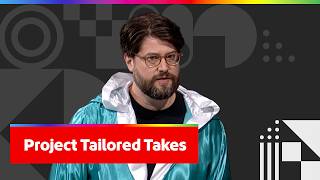
Foundry, which is a deeply tuned, commercially safe AI model. And it uses that to direct the absolute perfect advertisement. You want to see it? I do. All right. So, it's called Project Tailor Takes, and to show it all off, we have Jordan. Here we go. Thanks, Eric. Thanks, Eric. >> whole family's here. Yeah. Um uh Eliza, before we start, you are an international touring comedian. Do you ever have to tailor your show for different audiences around the world? Sometime a little bit, little nips here and there. So, that's a a challenge that a lot of marketers face, and it's a genuinely hard problem to solve with video, but not with Project Tailor Takes and Firefly Foundry. So, let me show you. Right now, we're on the canvas, and you can see I have a few approved assets that we're going to use to create a video, but I'm missing my hero product shot. So, I'm going to go ahead and generate it. So, I'm going to use a simple prompt, a bag uh of dark roast on store counter. Bag of could have gone anywhere. >> [laughter] >> So, we're going to hit generate. Our Firefly Foundry model deeply understands our brand, our style, and our products. So, from simple prompts, we get great images. So, here's our image. And we're going to bring it into the compositor. Now, in the compositor, we're automatically segmenting the subject from the background, so we have a lot more precision over the placement of our product in our image. But you can also see on the right-hand side here, we have this AI content intelligence hub. So, Project Tailor Takes is picking up the scene attributes of this image, and if we change the attributes, we can change the image. So, Eliza, I need your help here. We're going to show it demonstrate this. Um do you like hot coffee or iced coffee? Iced coffee. Iced coffee. Where are the other high-functioning adults? It's like a tribal thing, right? Iced coffee all day. Iced coffee. Okay. So, let's swap the bag of coffee out for iced coffee. >> Bag of ice. Yeah, and we're going to generate with attributes. We don't actually have to rewrite a prompt here. So, Firefly Foundry and and Project Tailor Takes, we can actually uh build these these these images just with our attributes instead of having to always use prompts. So, you can see over here on the left-hand side, this is our original image, and here we've swapped it for the iced coffee. Very nice. >> Delicious. >> Very cool, right? Okay. So, let's go back to our dark roast. I'm going to go to camera view here. Camera view is going to give us a lot more precision over the placement of our camera, and for our purposes here, I actually just want to move this camera forward a little bit cuz we're going to create another frame that we can use to to uh create a video. So, I'm going to render this new angle, and while that's happening, I'm going to jump into the canvas, and I'm going to open up my frame stack here. So, here's all of the images that we created in the compositor and the camera view, and you can see this one here on the left is our original image, and this one here is where we moved the camera a little bit further forward. So, I'm going to set this as the first frame, and this as the last frame, and then I'm just going to describe the motion between them to generate a video. So, uh let's just say camera slowly moves forward. forward. We're going to select 1080p, and we're going to generate that. Now, while that's generating, we have to wait a little bit. So, let's so let's show you prototype view. Prototype view is where all of this comes together. So, we have all these clips, we want to sequence them together. So, let's start with our woman drinking coffee, and then we're going to go into the coffee beans, and then we're going to end with our hero product shot. But as you know, a lot of people like to do AB testing, create different variants, or maybe you just want to explore a different narrative arc. So, we can create all sorts of different sequences in project tailor takes. So, if you look at the second sequence, maybe we'll go backwards from the hero product shot into the lifestyle shot. And when we get to the timeline, you can see this is actually the video we generated earlier. And you can jump between your different sequences to see how they play out. And what's also cool Thank you. Thank you. >> Nice. Yeah, that's really cool, buddy. >> What's also cool is if you uh rearrange here and you go back to prototyping, you can see that it's updated it. So, these two views are in sync. If you like to edit in the timeline, you can. If you prefer prototype, you can do that as well. So, if we have a sequence we like, what about localization? What about showing it for different audiences in different places around the world? So, we have this sequence that we like. I'm going to pick the localization panel. And for this particular sequence, the two shots in the middle are b-roll, so we don't actually really need to to localize those, but we're going to do the first and the last one. And I have a list of regions here. So, last year, Eliza, you published a map of of all the places that you recommend getting coffee in the world, right? I did. Thank you. >> And that was based on your touring? Yes. Yes. So, we have uh four different regions here. And can you help us pick two that you'd love to have a coffee in tomorrow? I would love to have a coffee in Japan every day of my life. >> Okay. >> And I'm going to go to Korea this fall, so let's say South Korea. Okay. Awesome. So, our Firefly Foundry video model, when we collect when we click localize, is going to adapt the content for the local region, including adding the local product variant. So, let's go ahead and click localize. There. Now, we have a sequence for our base sequence, a Japanese sequence, and a South Korean sequence. And if I jump into the timeline and I open this up, you can see this is our base sequence. This is our woman in Japan, and this is our woman in South Korea drinking an iced Americano, very popular. That's right. Uh so, if we go back and we hit play, you can see that they're all drinking coffee at the same time. Woo! And >> Yeah, dude. >> Yeah, dude. >> reframe the video to see what it's going to look like for different audience or different platforms. And as we get to the end Yeah. >> [laughter] >> [laughter] >> Woo! This is our Korean version. This is our Japanese version. You can see the pour-over in the background. And then this is our base version. So, from just a few assets, you can create dozens of variations of sequences, all localized for markets around the world. How local can they get? Like, could you do like an LA >> data, we can train it into the model. So, we could do like Silver Lake, the west side of LA, Malibu, like all the annoying different kinds of people in each city. >> I would like to see that. So, that's project tailor takes, powered by Adobe Firefly Foundry. Amazing. Thank you, Jordan. >> Thank you. >> Thank you. >> [applause] >> [applause] >> Look at the QR code. Project tailor takes to personalize for all the annoying people. >> We deserve it. We deserve personalized takes. So, while we're letting you all vote, make sure you're voting for Jordan there with project tailor takes, there's one other really thing like the number one question that I get asked after sneaks is, how fast are these technologies going to come to product? And so, last year we actually had two sneaks that got this crowd so excited, project slide wow and project site leap. We then took them to Adobe Brazil for Adobe Summit in Brazil, where people went insane for them. Where my Brazilians at? Yeah. Yeah. It's one lady. It's one lady. It's one woman in the back. >> The thing is, I know exactly who it is. >> Okay. >> [laughter] >> [laughter] >> So, they got so excited about them. Customers were bringing them up to us in meetings, and we said, you know what? Let's adjust the road map, and they were released within a month. Wow. So, this
year we want to get our technologies into your hands faster than ever. And to do that, we are introducing something brand new, which is a sneaks interactive experience. So, you can see it here Let's sit behind me. If you go to adobe.ly/sneaks, you can play with all seven sneaks that you saw here today. Can I use them? You can use them, of course. >> Can I actually use them for my tour? Yes. I'm going to make a phone call right after this. Okay, good. >> Okay, great. I'm going to get people on this. This is amazing. We will send you a bill. Yeah. That's fine. I'll pay for it. Okay. So, with all of that, everyone is I hopefully had enough time to vote. Let's pick our winner. You ready? Drum roll, please. She wants to see if she won. >> Okay, they're like, okay, I don't know what you're talking about. So, it looks like the winner is project face off. Come on out, Joa. >> Where is he? Joa is making his way. You have to wear this belt on the plane. >> [laughter] >> Hi. There he is! Joa! Thank you, everyone. Congratulations. >> [cheering] >> Thanks, Eric. Thank you so much. Thank you. Have a great week. Thanks for your support, everyone. Joa, it was such a pleasure to have you. We really appreciate you. Congratulations. Thank you to everyone. Thanks, Eliza. >> or something? We don't have like a Rocky theme for him or some kind of I can hear them cleaning in the hallways. No music There's nothing. That's the end? No. We got something. >> No songs? >> No songs? >> You want to sing for us? No, I just It's your He came from Switzerland. It's a long Congratulations, Joa. I'm taking this on behalf of everyone, all my fellow presenters. So All right. Love it. Thank you. So, thank you to every presenter, mentor, and thank you, Eliza. It's been a pleasure. Have an incredible night at Bash. See you next year. >> [cheering] [music] >> Got to get away through the money. New sights, new souls. New sights to show. show. >> [music] >> Thinking >> Thinking of all of these reasons to leave, I need some new life. Let go. Move life. New regions, [music] new seasons, same number, same phone. Won't lose my love [music] if you won't lose my love. If you need some, call me up >> [music] >> and see my new home.
Top Moments
Personalized web experiences!
Collaborate with AI!
Instant A/B testing!
Content amplification magic!
Email coding revolutionized!
Perfect ad generation!
Self-updating designs!
Up Next