Stop Buying AI Tools! Your 90-Day Plan to Real AI Wins
In an era where AI promises unprecedented efficiency, many organizations find themselves stuck in perpetual pilot phases, failing to realize the full potential of artificial intelligence. Brad Weber, an AI strategist with extensive experience, sheds light on this 'implementation gap' and offers a practical 90-day plan designed to move teams from experimentation to impactful AI integration. The core message: shift your focus from 'which tool to buy' to 'which tasks should humans stop doing.'
“In my experience, the reframing of this question is the difference between successful teams that implement AI and those teams that get stuck testing out tools that might might or might not work for them.”
- Brad Weber, Founder of The AI Integration Hub
Are you stuck in AI pilot mode? Discover why most teams fail at AI adoption and how to fix it. This session reveals a proven 90-day plan to integrate AI successfully, focusing on workflows and tangible results.
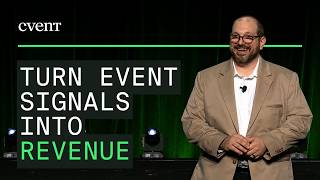
Morning everyone. How are you? Good. You ready to learn about AI today? Good. Great. All right. Well, before we get started, I do want to do a quick pulse on the audience to see where you're at with your AI journey. So, if you could take out your phones, and in the app, there's some pulse questions. And we will start with the first question. So, the first question we're going to ask is how would you rate your AI experience? Are you just getting started? Are you comfortable with some hands-on experience? Are you an actual power user? All right. A lot of people just getting started. started. Actually, more people with some hands-on experience. Looking good. There's some power users in here. Raise your hand if you're a power user. Perfect. Perfect. Great. Great. All right. Let's jump to the next poll.
How is your team using AI today? Is it not yet? Testing a few tools? Or in daily workflows? All right. Let's check out the results. All right. A lot of people testing a few tools out. We'll talk about testing tools in a few minutes. Some people with daily workflows. That's really exciting to hear. Great. Let's do the next one. So, what brought you to this session? Are you curious where to start? Are you stuck in pilot mode? Or are you ready to scale? Looks like a mix across all three, so that's really great. It's a really good that you're in this session because the goal is to um get you a lot of information on one, where to start. Two, if you're in pilot stuck in pilot mode, how to get out of that. And then three, if you're ready to scale. So, great. Thank you for that. I appreciate that. So, who am I? My name is Brad Weber.
Uh I've been in uh enterprise technology consulting for over 18 years. Uh the last seven were at IBM, where I was a partner for 2 years with IBM's Watson AI. Has anyone heard of IBM's Watson? It's uh the computer that played chess against the grandmaster, and then also played Jeopardy, so it's been around for a long time. It was my first uh entrance into AI a couple years ago. I'm also a Wharton certified AI strategist, and then just got accepted into the Anthropic Claude partner program, which opened up uh last month in June, so really excited about that. And what I do today is I train teams uh in small and medium-sized businesses on how to integrate AI into their workflows and tasks. And I also build AI custom applications for teams, so any type of integrations and workflows across systems as well. So, I'm excited to be here. I'm excited to walk through how to close the gap for for AI implementation. And uh And uh let's get started. So, the question every team that I talk to
usually asks is, "Which tool should we buy?" Which seems like a the right question. There's so many AI tools out there. But, it's not actually the right question we should be asking. Um Um the question we should be asking is, "Which task should humans stop doing, and how do we hand them off? And so you're not starting with a tool, you're starting with your actual tasks and workflows. And what that question does is it says, what tasks should AI own? What tasks should humans own? And then what is the intersection between AI and humans? And in my experience, the reframing of this question is the difference between successful teams that implement AI and those teams that get stuck testing out tools that might might or might not work for them.
So, I do want to show this statistic because it jumped out at me and this is from a Forrester 2025 B2B state of events report that said 22% of event and marketing teams have adopted AI in a meaningful and ongoing way. Now, if we flip this statistic and say it says that 78% of those surveyed event and marketing teams have not adopted AI in a meaningful and ongoing way, which is kind of staggering. Um and what's strange about this statistic is it's not an awareness issue because most, if not all, people know about AI. They know it's important or will be important in the future. And it's most likely not an access issue as well. Anyone can get a ChatGPT account for free or a Claude account, pro account for 20 bucks or a Gemini account. So, what is the actual issue here? And and my understanding or my thought process is it's an implementation gap issue. Um so teams not knowing how to implement or or jump into AI the right way. Um but this is also an opportunity because right now the bar is very low for being ahead of your competitors. And so that's where we want to talk about implementation. So,
So, where do teams stall? Um I've seen this across multiple different industries in my experience. And there's four different reasons that I see that teams stall when starting their AI initiatives. And the first is buying tools before designing the workflows. I just touched on this a minute ago. Um but the team that succeeds designs the workflow first and does not look at tools first. I had a previous client earlier this year that came to me all excited because they just saw a very sleek demo of this agentic work for uh workflow platform that they were being sold and said, "Brad, it's going to change our entire company. It's going to be plug and play into our systems. It's going to automate all of our workflows. We cannot wait." And I was hesitant and I said, "You're buying a tool before you understand what your workflows are. Um you can probably understand where I'm going with this story, but the implementation was a disaster. Um it was not plug and play. Uh the team did not adopt the tool at all. And after 2 months uh of buying the tool, they had shelved it. Um so they had wasted time, they had wasted their budget because they bought a tool before they actually looked at their tasks, looked at their workflow, and decided what workflows do we need to automate or can we use AI to assist with, and then look at those tools that can then help them with those workflows. The second reason teams stall is automating the wrong things first. Um so what I see with clients is they tend to gravitatory gravitate towards the the visible, the creative, um the high judgment, high stakes workflows um that that can get you a really big bang for your buck and is very visible. Um but in my experience, the invisible work returns 10 times faster than creative work. Um so, RFP first drafts, post-event survey summaries, registration confirmations. confirmations. Nobody's professional identity is tied to these tasks. Um so, nobody fights the handoff here. The third is no owner, so nothing ships. Um I see a lot of clients that come to me and say, "We started an AI committee or an AI task force and we've we've had a bunch of meetings um and we're really pushing this committee across different departments to work together to move our AI initiative forward." And what ends up happening is you get stuck in these committees and these decisions don't get made. No one actually owns the actual initiative or implementation. Um so, my recommendation is to pick one person to own the initiative um that runs the pilot and ships the win. It does not have to be a new hire. It doesn't have to be a new title. It could be somebody you just need a named person that owns that initiative and that will be able to deliver um on your AI initiatives. And then the last and fourth is change management is treated as optional. So, this is not just specific to AI initiatives or implementations. In my 18-year experience in enterprise technology, this is a fact in every implementation I've ever been a part of. Um from Fortune 100 global huge implementations that I've managed, if you do not embed change management into your implementation, then you're setting yourself up to fail. You will not build trust within your teams. You will not gain adoption once the the tool or technology is live. Um and what change management does is allows you to bring your team in on the ground floor of the AI initiative or the implementation to be a part of that implementation. So then they get excited about implementing. You can also bring in skeptics, which there are a lot of skeptics with AI, to be a part of that build as well. And once they start getting familiar with it, they become into They turn into advocates. Um So change management is very important when you're implementing AI um or any technology for that matter. And if you see these four reasons people stall are not technology, they're not AI driven. Um Um And so what's really important
uh to get the an AI implementation correct is the sequencing. the sequencing. And so what I talk about here is the AI implementation ladder. So this is a step-by-step progression on how to implement AI based on the functionality that AI uh is capable of. There's five steps. So each rung of the ladder is a building block on the step before it. The first one is task automation. So this is one task, automating it with no integration. It's low risk. You don't need IT an IT project. And this is where trust gets built. And this is where we want to start. The second is workflow automation. So this is multiple tasks um automated together either across systems or across uh departments. Um And just a quick point of reference at the bottom here, if you uh own or subscribe to the platform Cvent IQ, this is where a lot of the functionality lives within Cvent IQ. Some examples are session insights, AI content creation, and the response assistant. So, if you have access to Cvent IQ, a lot of the functionality already lives at this rung. And then the third is assisted intelligence. intelligence. And this is when AI starts to surface patterns and recommendations based on tasks that you're doing. I see a lot of teams and clients get to this this rung within 6 to 12 months of their AI journey. But I do want to flag here, AI does recommendations, humans still own the out-outputs and the outcomes of those recommendations. So, we never want to send anything or ship anything that AI recommends us. We always want a domain expert or a human to review that and make sure that it's accurate. The fourth is agentic workflows. Has anyone heard of AI agents here? Yes, that is the sexy, cool, new thing that's out now. What agentic workflows are is AI that can do multi-step tasks with minimal um minimal oversight. minimal oversight. And this is where I see a lot of teams jumping in to their AI journey is like, let's get an AI agent in here. Let's automate it. Let's have it take over a lot of our work. But you're not building trust from the first three rungs. And so, a lot of times you fail here, like like the example I described earlier. And then the last is organizational intelligence. intelligence. I see clients get here and not many people are here, but this is when you build an actual knowledge layer across your organization, and then all data feeds into that organizational layer, and then AI can start make recommendations based on that knowledge. So, for events, every event you have will feed into this organizational layer and make the next event better and smarter based on recommendations. So, now that we know the progression from an AI perspective, how do we get started on rung one with task automation?
And this is where we get to the workflow audit. This is what I use with clients when we're first starting out and we want to talk about um what workflows and what tasks we want to automate within their business. So, if you can see here on the Y axis is low repetition and high repetition. So, that means are you doing this task very often, all the time, or is it a one-off task that you're doing? At the X axis, you'll see rule-based or low judgment. So, this is low judgment from a human perspective or creative and high judgment that needs a lot of human intervention or human thought put to it. So, in the top left quadrant of the workflow audit, these are tasks we want to automate immediately. They're high repetition and they're low judgment. Um so, this can be again, post-event survey summaries, RFP drafts, venue and vendor short listing, scheduling and task organization. This is the low-hanging fruit that you'll get build a lot of trust with your um team with that can be automated immediately. On the top right is the assist, don't automate. So, this is high repetition again, but it is creative and needs high judgment from humans. Um so, we want AI to assist with this work, but we do not want to automate this work. Some examples here are attendee communications, personalized follow-ups, and speaker and sponsor outreaches. We can have AI draft the stuff for us, but again, we always want a human to own the output of of these tasks. In the bottom left is uh automate eventually. So, this is low low repetition tasks. So, stuff we don't do all the time, but it's low judgment. Um so, this is stuff like one-time report formatting, ad hoc research, or data cleaning. This is stuff we want to get to eventually after we've done the automate immediately tasks, but we can't automate this stuff um these tasks, excuse me. And then in the bottom right is the low repetition, high judgment. So, these are the tasks we want to keep human. Um this is stuff like speaker curation, budget negotiations, program strategies. program strategies. This is actual job security for humans. I hear a lot of people talk about AI taking over jobs from people. These tasks are is the job security for humans. And the time you save by automating tasks in the top two or excuse me, the top left corner, that time saved can then be put into these tasks that are kept human.
So, on your table, there's a bunch of handouts and worksheets here. Um we're going to get a little interactive if you're okay with that. You have the workflow audit in front of you. I'm going to put 90 seconds on the clock, clock, and my challenge to you is to think about two or three tasks that you do on a daily basis. Think back to last week, some tasks that you've done, or think back to next week, some tasks that you have on your plate that you need to get done, and try to put them in one of the quadrants or multiple quadrants within the audit workflow. audit workflow. There's no real wrong answers here. Um the goal is just to think about the tasks that you do on a regular basis or tasks that you have coming up and see if you can put them on the workflow audit. And if you're having trouble, think about while you're here if there's tasks building up that you're not getting to at at your home office. Um that you're thinking about at 8:00 in the morning that you have to get done. Um see if you can put them on the in any of the quadrants. All right, anyone want to share any of the tasks that they put down? Perfect. That's one that I hear from a lot of people to automate immediately. Uh recapping surveys from past events. So, the summaries, the executive read out to leadership. Wow. How's that going? So, using Copilot Yep, to build the PowerPoint decks. Great. That's a really great way of using AI. And again, that's that's something you can automate immediately. All right, perfect. So, um the one that was just shared about post event surveys. So, now that we know
how to identify what task to automate, how do we actually do it? How do we put it in practice? Um so, I'm actually going to use that example of the post event uh surveys. And I'm actually going to build it in real time for you. So, I believe this functionality is might be available in Cvent IQ, but I'm going to show you how to do it on your own. Um I'm going to be using a tool called Claude. I don't know if anyone's used Claude here. Okay, perfect. Okay, perfect. Um so, if we So, what I'm going to be doing um is I'm going to be uploading an Excel spreadsheet. Um and let me just walk through it. So, this is Claude. This is actually Claude design. Has anyone used Claude design before? Couple people, okay. This is one of the tools that Claude offers within their portfolio. Um it's in the left sidebar. Um and it's really powerful. You can create dashboards. You can create websites, um PowerPoints. Um and what I'm going to do is I'm actually going to upload an Excel file of survey responses that is exported out of an event system. So, you can see that's right here. And then I'm going to put in a prompt and I can walk through the prompts. It's a very long prompt. Um but what I with with prompts like this, what I'll usually do is I'll actually go to Claude and say, "Here's what I want to build. Create me a very long detailed prompt on how to do it." And then Claude will create the prompt for me, so I don't have to write this myself. Because I cannot write this myself. So, I'll take this prompt. Let me and I'm going to I'm going to paste it. paste it. So, it's pasted here and I'm going to hit go. But, I'm going to actually going to go to So, it's now running. It's going to build this dashboard and I'm going to go back to the prompt though and talk through the prompt quickly while it's running. So, the prompt starts with build me a single self-contained interactive HTML dashboard from an Excel file or a CSV of 200 post-event conference survey responses survey responses for an event leadership audience. It must be one file with data embedded. Um fully working offline except for the AI insights feature. Then, I talk about the data. So, what data am I going to be providing you? This is the Excel file. Here are the columns in the data. Here's the information you're going to be getting. Um and then brand and visual, I have a design system that's already built in into my cloud, but you can put in I want it to have these different colors. I want it to have this different font. Um I want it to have these different icons. Um you can put in brand and visual and then I've built what the layout and section should look like. So, I want a hero section that explains what this interactive dashboard is. Um I want a filter bar so I can filter by uh audience um attendee group um that lets me cut the data by different types of attendees. Um I want executive KPIs to show me um from an executive dashboard perspective what the KPIs are. So, what is our NPS score? Um would people attend again? Um so, these are the questions we're asking in the survey. Um an AI insight card. So, this is AI get reading the data and giving you insight um into the data. An NPS breakdown. A satisfaction distribution. A satisfaction distribution. Improvement priorities. Improvement priorities. And then the top five themes and this is coming out of the comments from the survey. So what are the top five themes from our events that came out of the comments um in our surveys. And then flagged for immediate follow-up. So again, this is coming out of the surveys if anyone um was dissatisfied or we had to follow up with people from the event, I want to call that out and I want to flag that in this dashboard as well. And then the last section that we heard here is an executive summary. I want a full executive summary of the event so I can share this with my excuse me, share this with my leadership. And then I'm telling it what are the interaction types that I want so be able again being able to filter, being able to click on um some of the KPIs and drill down into them. Um Um and then some some notes and gotchas here. So around like rounding and percentages and stuff. So as you can see, Claude is in the last two minutes that I explained uh the prompts, Claude is building out this executive dashboard for me just based on an Excel spreadsheet that I uploaded um from my my my post-event survey responses. So you'll see here the hero section. We've got our filters here so I can filter on seniority, whether it's C-suite level, VP level, um company size and roles. It's building out my KPI dashboards here and then AI insights. So, this is really powerful, and because this could take anywhere between 3 to 5 minutes, I've already built this. So, I can walk Okay. So, this is my executive post-event survey dashboard. It's got my how many responses here, average satisfaction, my net promoter score, and then would people attend. It has AI insights. AI insights. Just giving me a read out of of what I'm looking at specifically. I can actually I can actually cut this data by seniority. So, if I want to look at just the C-suite level respondents, I can see that. Out of the 39 respondents, I only have Excuse me, out of the 200 respondents, I've got 39 that are C-suite level. And their average satisfaction, and their net promoter score, and then would they attend again. Um I can I can cut this data by company size. Um Um So, it's powerful. Let me show you some of the other dashboards here. So, net promoter score, and then I can click into this click into this and show me the promoters and where their scores were, their satisfaction distribution is. I can click on the detractors and show what their satisfaction distribution is. So, again, this is interactive, and we built this in in 3 to 5 minutes. Here's the improvement priorities. So, again, this is all pulled from the survey summaries and the responses. So, more diversity on the keynote stage, improve the mobile app, um the schedule sync was broken. Smaller workshop groups for better participation. So, this is all information we can take to the next event to make the next event big better. Top five comment themes, speaker and session quality. So, um these are the themes that are coming out of the comments that AI churned through that I don't have to look through myself. Um ROI and value for money, networking and connections. And then flagged for immediate follow-up. So, these are comments that came out that are issues that people we need to follow up with. Um and we can see that we've got a couple different categories here. So, people that got double billed, um a refund owed, rate disputes, will not return, and then request follow-up. So, this pulls this out easily for us that we can then um address these issues quickly. And then at the bottom here, we've got our full executive summary um for leadership. And this is taking all the data and providing a summary for us. Again, this is written by AI. I would not just send this to my leadership without me reviewing it first or my team reviewing it first. But, this takes 80% to 90% of the work out of your hands, puts it in AI's hands, and then you take it the rest of the 10% of the rest of the way there. So, this is an example of the rung one, task automation. I'm going to do one more demo, and it's
the rung three, um which is AI insights, and I'm going to demo Let me click here. I'm going to demo an agenda um um matching matching um and recommendation uh dashboard as well. So, this is prior to your events. Um you have a list of attendees coming, and you have a list of your sessions. We're going to basically based on the profiles of the attendees, we're going to match with a score which sessions they would most be interested in. And then we're going to match people based on their roles and what their interests are on who should meet each other. Um Um so this is again AI recommendations. Um but the human needs to take it the next step. So, for this demo, I'm going to attach two files. First is a list of my attendees. And the second is a list of the sessions for my event. And then I'm going to go to this second prompt here. prompt here. And this prompt, let me copy it and do it first. So, this prompt says, "I have two files for my event, a session catalog and an attendee list. Build me a polished interactive tool where I pick any attendee from a drop-down and instantly see a personalized agenda for them. So, basically the single best session that would fit their um their their uh uh wants and needs and then people you should meet. So, the three other attendees they should connect with while they're at the event and then apply an interview. So, this is a lot less complicated than the first prompt. Um but let's see. And at the bottom it just says add a stat header and make it clean and professional. So, again, it's building it in real time. time. This is a This is a not as in-depth as the last demo we did, so this should probably be faster. Um but again I've built this. Well, let's see if it'll it'll do it for us. So, at the top, it's got what this actual dashboard is, how many attendees, how many sessions. And then we've got a filter here, so we can filter on the actual person. Again, I believe this functionality is in Cvent IQ, so if you have Cvent IQ as the platform, you can do this in that in that system. Um but this is a way to do it in yourself outside of that platform as well. So, I actually have this built that we can take a look at here. So, it's a smaller event. Um So, 12 attendees, 15 sessions. And we can select the attendee we want from the drop-down here. So, we're going to start with James Carter, who's a VP of marketing at BrightWave. And we can see the personal agenda. So, you can see the match score based on his profile, which which uh sessions would be the most um most likely that he would want to attend. So, it looks like the Demand Gen that fills seats and the Email Lifecycle Email and Lifecycle Marketing would be sessions that he'd be interested in. And then on the right-hand side, you see people you should meet. So, it surfaced up Robert Lin would be a great match at 87% because they're sponsor side counterparts. And it actually gives an opening line on how to how to introduce yourself to Robert. Um same thing with Dana Kim and Priya. And then at the bottom here, we've got planner view. So, these are the predicted session demands based on all of our attendees. So, it shows us which sessions are in are going to be in high demand based on our our attendees. So, again, this is something a way to to implement the tasks that you have to do uh quickly with AI. with AI. If we want to go back to the presentation, so we've talked through the implementation ladder, we've talked through the workflow audit on how to identify your tasks. We've shown how to actually implement with off-the-shelf tools like Claude. Um and now and now we want to talk about the 90-day plan.
So, how do you put this into action with your teams? So, the first 30 days is to map and align with your team. So, I would challenge everyone to go back to their teams and run the workflow audit with your team, whether it's in a meeting or on a whiteboard, and try to put tasks into the different quadrants with your team and identify the top three automate immediately rung one tasks that you can start with. So, they Again, these are high repetition, low judgment, and that are currently manual. And then name one owner for these tasks. Once you've got that done, identify the use case that you want to pilot and identify the success criteria for that task. So, what are the KPIs you're trying to do? How much time are you trying to save uh by automating this task? And then hold the scope. This is very challenging because you start to see early results and you start to think, "What else can we automate? What other tasks can we do?" Um so, holding the scope with one or two tasks is important. Um and then tracking the time and the savings that you're getting out of as a result. Um this is really important as well. So, then you'll have a pilot and you'll have actual um success criteria and metrics to back that up. And then once you've got that done in day 61 through 90, bring a recommendation to your leadership and tell them, "Listen, we started with these two tasks. This is the success criteria we wanted, and this is the actual results we got." And what this does is you're not just asking for permission to start an AI initiative, you're bringing real results where you then you can then ask for a budget to say, "Okay, let us start with these more complicated tasks or let us start with this one workflow." Um so you're bringing a case study and a budget request to your leadership. The the the yeses I see, if you go through this 90-day process, um far ex- out far exceeds the nos that I see from leadership um when when asking for budget to go into AI initiatives.
So the challenge I'm going to ask everyone after this event, when you get home, is to pick one task, name one owner, and start the 30 days and to map this workflow. And I bet by the end of 90 days, you're no longer part of that 78% that don't have AI working in a meaningful way. And I will be here the rest of today and tomorrow. Um so if you've already thought about tasks, come up and tell me. I'd love to hear about these tasks um and love to chat more about um what you're thinking about for your AI initiative. And Brittany, I don't know if there's any questions. We've got a few more minutes left. Perfect.
Perfect. First question is what steps can we take to protect protect data with different AI platforms? So this gets to data governance and it's a real big deal within AI. Um we're at a point in the AI evolution where um we don't know if the tools are using our data to uh learn on their models. I will say for platforms like ChatGPT, Copilot, and um Claude, Claude, if you have a Teams account, which a lot of my clients do, um I recommend getting Teams accounts. Um they have it in their terms of service that they cannot train models on your data. But, But, what I do recommend is putting in a data governance policy that determines what data can be used in your AI tools, what data um needs to be masked within your AI tools, and then what data can absolutely not be put in your AI tools. And the data that can't be put in your AI tools usually is personal information, um any medical information, HIPAA information. Um what I usually do with clients is we work to anonymize that data if they do need that data to go into the AI tools for um for information they need back. But, yes, uh understanding uh what what type of tool you're using, whether it's a personal account or a Teams account, um they do have enterprise accounts for larger groups. Um this is a little more expensive. I think Claude starts at 20 seats. Um and that comes with um a business uh association amendment, a BAA, um where they will protect your data and personal information if you do put it into the tool. Excuse me. Excuse me. But, But, um um creating a data governance um policy is really important before you start.
Second is Second question is what is the best way to actually implement this change management successfully so everyone's on board. Um from a change management perspective, I think um, creating communication plans, identifying um, key members of the team to be change champions, um, having testers, um, again, pulling in skeptics that might not um, think this is going to work and have them actually test um, what you're implementing. Um, and then again, over communicating what you're doing to your team to make sure that everyone's on board, everyone knows what you're building. Um, and then follow through. Um, and then once you're live with the system, track usage. Um, make sure that your your initiatives are getting adopted and if not, try to understand why and again, over communicate and try to build that trust with your team.
Why choose ChatGPT versus Copilot versus Claude? This is a question I get absolutely all the time. Um, and the answer is kind of a cheat answer, but it it's always to your preference. The tools function in different ways. Um, Copilot I see a lot with corporate um, teams. Um, my preference is Copilot lags a little bit from a functionality perspective. Um, but they are building Claude into their models. Um, Claude I think is amazing from a design perspective as you saw with the tools that I showed. Um, PowerPoints, um, dashboards, websites, Claude is fantastic. Um, from a writing perspective, if you're doing email responses or personalization output, I think ChatGPT has a leg up there. Um, but these models are neck and neck with each other. So, I think it does come down to preference on what your tool is. Um, if I'm the CEO and I'm rolling out one of these tools for my company, I'm probably going to use Claude just because of um I think they're ahead of the game from a design perspective and from um like a workflow perspective. Um but again, it's it's up to your to your preference.
Where or how to find prompts to get the best results. best results. So this speaks to prompt engineering. Does ever Has anyone heard of prompt engineering? Okay, perfect. So that is the art of creating a good prompt. Um I think there's usually five different steps to creating a good prompt. Um like giving the tool um a role, a role, identifying what what your task is or what your need is, giving the tool examples um of what your output it you're looking for. Um but again, like like I said, what I do is I go to ChatGPT or Gemini or Claude or Copilot and say, "This is the outcome I want. I want to build a dashboard for my post event surveys and responses. Build me out a very detailed prompt that I can then put into Claude design to build this out for me." So use AI to build your prompts for you. And what I really recommend, and I just had a client we're building this out last week in Chicago, is creating a prompt library. Um so this is what we what we're currently using is an Excel spreadsheet where we built a bunch of prompts based on use cases for this client that worked. It got the output that we wanted and we were satisfied with the prompts and then we put it into a prompt library. So now everyone on the team has access to that prompt for that specific use case. They're not recreating prompts every time they're trying to redo uh this use case or this task. And then that prompt library becomes a living breathing document within your team. And then if you have weekly meetings, monthly meetings with your team or quarterly meetings with your team, spend 5 minutes at the end of your meeting and say, "Hey, does anybody have any cool prompts that they use that worked?" Um so, you're constantly thinking about prompts and you're constantly building your repository of prompts that work. So, I think we got time for one more question here. What was the original prompts to get the long prompt you showed us? Why do that in two prompts instead of one? Um Um the original prompt I said was, "I'm building this dashboard for a post-event um survey results. Here are the key elements I want in the dashboard and detail me out a very long um prompt that will get me the the outcome here." The reason to do this in two prompts is I could say just that specifically, two sentences, and the outcome I'm going to get from Claude design is very radically different because I don't have the specific detail that that long prompt gave me. Um so, I would get something probably half as good as a result of that first prompt that's just two sentences that I would get from AI creating the prompts that knows exactly what I want. Then I can review that prompt and say, "Hey, I don't really like this." Update that prompt and then and then use that. So, the more detailed you can be um the more examples you can give it uh the layout that you can give it is the better. And I don't want to spend the time to type all that out off the top of my head or spend the time to do that when AI can do that for me in in a minute. So. I think we're out of time. I just want to thank everyone for coming. I really appreciate it. And again, I'll be here all day. Um if you want to pull me aside and talk um and then share your uh automated tests, your top left uh automate immediately tests. So, thank you. I appreciate it.
Top Moments
Human job security
Hidden automation gold
78% are stuck!
Ladder to AI success
Workflow first, tools second
Don't skip this!
Tools vs. Tasks
Up Next